

A practical platform engineering roadmap for teams moving from ad hoc scripts to a self-service internal developer platform.
Observability vs Monitoring: What Engineering Teams Need
A practical explanation of observability vs monitoring for engineering teams building and operating cloud-native applications.
CI/CD Pipeline Best Practices for Kubernetes Deployments
A practical guide to CI/CD best practices for Kubernetes deployments, from build and scan to rollout, rollback, GitOps, and observability.
Kubernetes for AI Workloads: What Actually Matters
A practical guide to Kubernetes for AI workloads, focused on what teams actually need for GPUs, model services, queues, scaling, and operations.
How to Deploy an LLM App on AWS Using Docker and Kubernetes
A practical deployment guide for LLM applications on AWS using Docker, Kubernetes, secrets, autoscaling, observability, and cost controls.
A Definitive Guide to Migrating from Ingress NGINX to Istio (Architect-Grade, 2026)
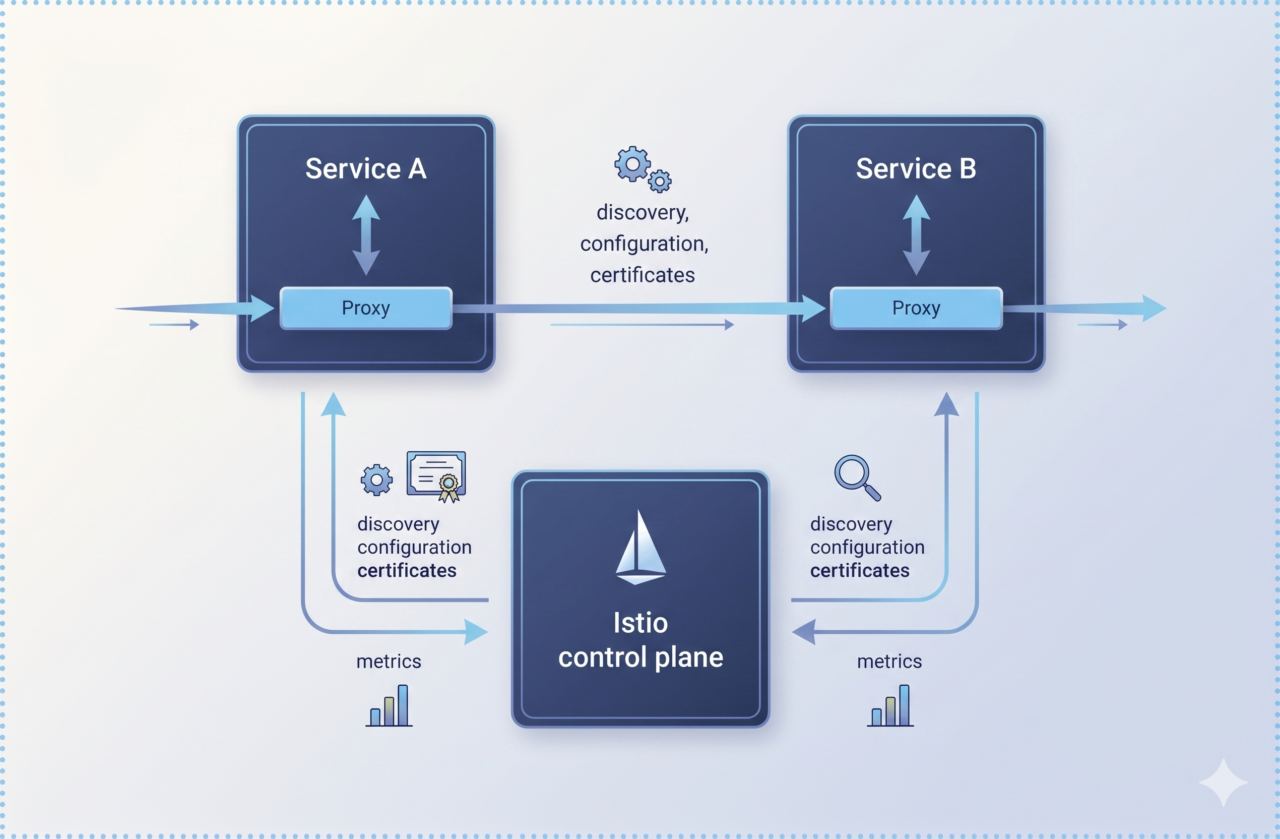
With the official retirement of the community-supported Ingress NGINX controller on March 31, 2026, the Kubernetes networking landscape has reached a turning point. If your organization is still running Ingress NGINX, you are no longer receiving security patches-leaving your clusters exposed to known vulnerabilities such as CVE-2025-1974 (IngressNightmare). While there are many alternatives, Istio has...
Secrets Management in AKS with Azure Workload Identity
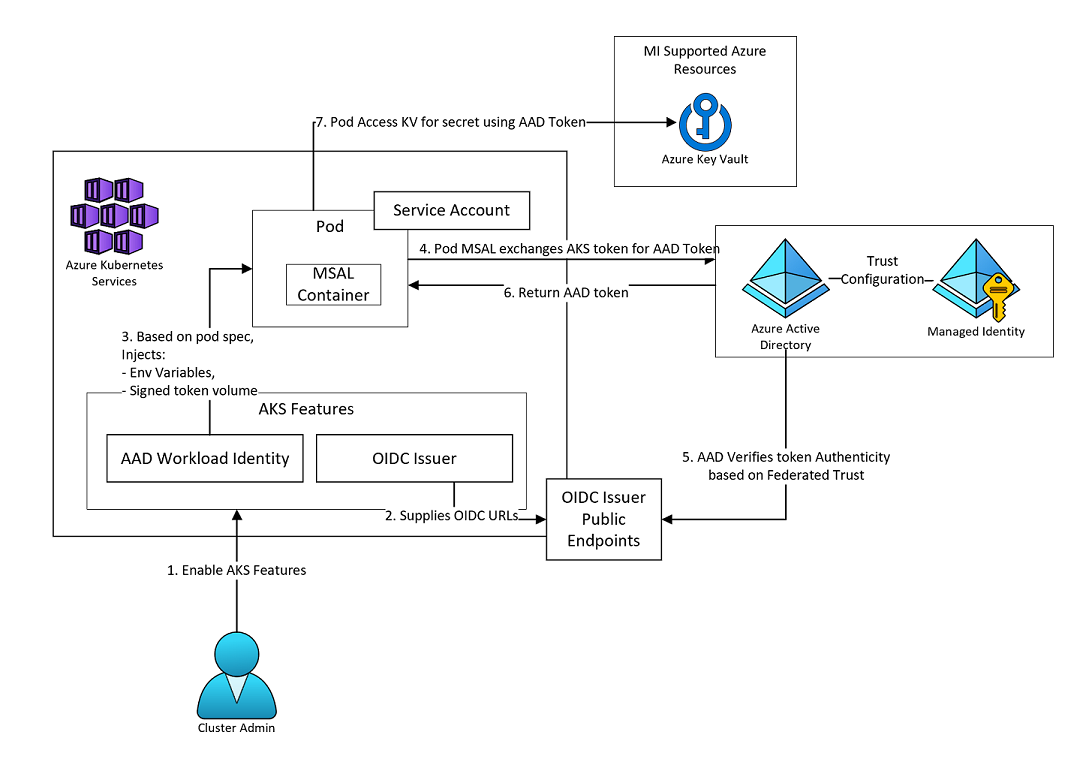
aks secrets store csi driver
Managing secrets across dozens of websites and APIs in Azure Kubernetes Service (AKS) can be a nightmare if you’re still using static credentials. Hardcoded secrets, long-lived keys, and manual rotations increase the risk of exposure and slow down deployments. On Azure Kubernetes Service (AKS), we’ve evolved with the Secrets Store CSI Driver, Azure Key Vault,...
Get kubernetes logs easily using kubectl
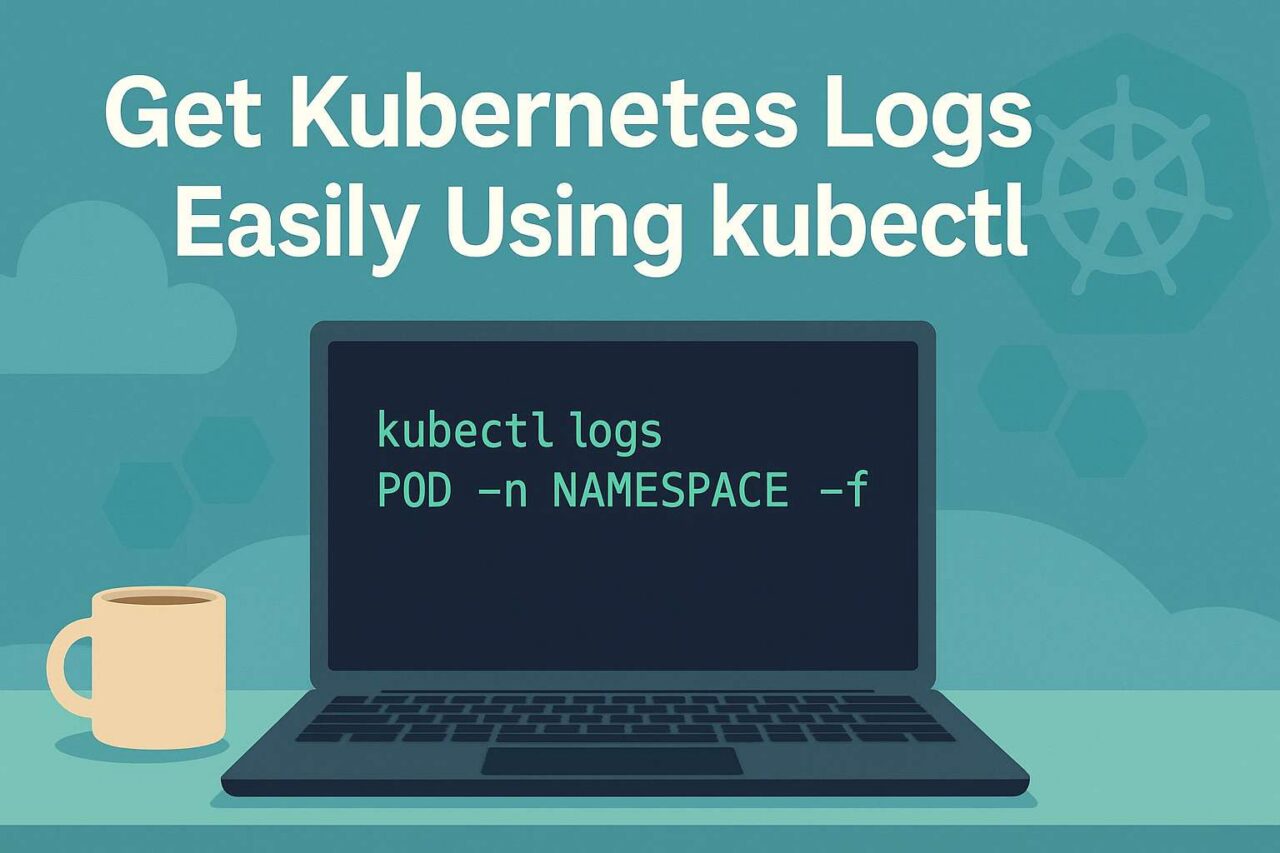
get kubernetes logs using kubectl.png
Delete multiple jobs in Kubernetes

cloud and devops consulting, kubernetes, software development
Create User in InfluxDB without Operator Token

create user in influxdb
Pre-requisite InfluxDB installed and admin user created Influx CLI installed on computer Create Config influx config create -a --username-password ADMINUSER -n myconfig -u INFLUXDBURL Enter Admin password at prompt Replace the following:ORG: Organization name for the new userADMINUSER: Username of the admin userINFLUXDBURL: URL for Influx DB Create User in InfluxDB To create user, run...